Welcome and goodbye
Newcomers are greeted in the channel you pick, and leavers get a goodbye message, in another channel if you like. Each one has its own switch.
 rezaletbot.
Welcome & roles: a feature of Rezaletbot, the free Discord bot.
Greet every newcomer with a welcome card in the channel you choose, send them a DM if you like and hand out their starter roles the moment they join. Then let members grab their own game, ping or color roles from buttons or a dropdown. All set up in the web panel, no commands to memorize.
@KaraBulut
Newcomers are greeted in the channel you pick, and leavers get a goodbye message, in another channel if you like. Each one has its own switch.
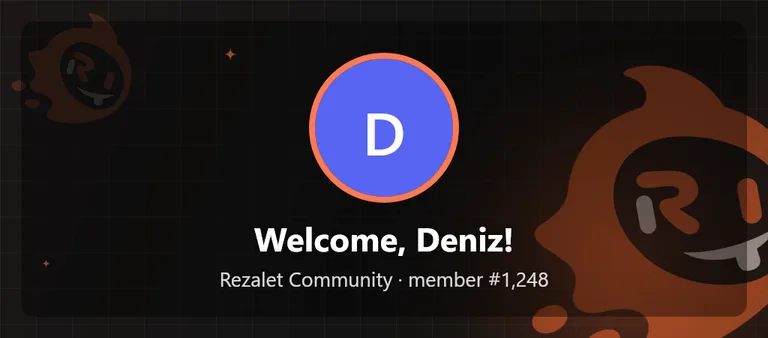
The bot draws an image with the newcomer's avatar and name: 12 preset backgrounds, a solid color or your own picture. Prefer an embed card or plain text? That works too.
Write it in your server's voice with the {kullanici} (mention), {ad} (name), {sunucu} (server) and {uye_sayisi} (member count) placeholders. Leave it empty for the default.
Have the bot DM each newcomer with your rules, key channels or first steps. Skipped quietly for members whose DMs are closed.
Give up to 5 roles to everyone who joins. Bots are skipped, and if your server has rules screening, roles arrive once the member accepts. If verification is on in Protection, roles are given once the member verifies.
Button or dropdown role menus: up to 10 menus per server and 25 roles in each.
With the card on, Rezaletbot draws the new member's avatar, name and member number onto an image. Pick one of 12 preset backgrounds (four featuring the Rezaletbot mascot), a solid color or an image you upload, then set the overlay, text and border colors. The live preview in the panel shows the finished card before you save.
A role menu sits in your channel as a card with buttons underneath. A member clicks a button and gets the role right away; clicking it again removes it. Only the person who clicked sees the reply, so the channel stays clean.
Got a lot of roles? Use a dropdown instead of buttons: up to 25 roles in a single row, each with a short description. Turn on single choice and members can hold only one role from that menu; picking a new color drops the old one automatically.
Type a title, pick the channel and add roles from the list; each button label fills in with the role name. If you pick a role the bot can't give, the panel warns you before anything is posted. Later edits update the same message in the channel.
Add Rezaletbot to your server. In Discord, drag the Rezaletbot role above the roles it should give under Server Settings > Roles, and make sure it has Manage Roles.
Sign in with Discord using an account with Manage Server. Pick the channel, text and auto roles, then save; "Test welcome" posts a sample with you as the new member.
Web panel → Server settings → WelcomeCreate a new menu, add the roles, choose buttons or a dropdown and hit "Save and post". The menu appears in your channel right away.
Web panel → Server settings → Role menusDiscord only lets a bot give roles that sit below its own highest role, and the bot also needs Manage Roles. Roles owned by another bot or integration can't be given at all. The panel marks these as "(bot can't give)". The fix: move the Rezaletbot role above them in Server Settings > Roles.
The moment someone joins. If your server uses rules screening, the role is given once the member accepts the rules. Bots never get auto roles. You can pick up to 5 roles. If Protection > Verification is on, auto roles are given when the member verifies (button, captcha or web), not on join.
If the member has DMs from server members turned off, Discord won't deliver it and the bot simply moves on. There is no default DM text: write your own in the panel, otherwise no DM is sent.
With single choice on, a member can hold only one role from that menu. Picking a new one automatically removes the old one, which is perfect for color roles, teams or regions. With it off, members can take as many as they like.
Yes. Edit it in the panel and hit "Save and update": the same message in the channel is updated and the roles members already have stay put. Change the channel and the old message is removed and the menu posted in the new one; delete the menu and its message goes too.
Behind every great moment, there’s a great song.
Add to Discord✳